Ask Alexa 13

“As an Amazon Associate I earn from qualifying purchases. this applies to all links on this post.”

Most of us are familiar with Google or Apple Photos. But how many of us are familiar with Amazon Photos*. Prime* members get unlimited photo storage and 5 GB for video storage. Non-Prime members, get 5 GB combined photo and video storage for free. If you require more storage there are plans that start at $1.99 per month ($19.99 per year) for 100 GB up to $179.97 per year for 3TB. For those you who are not Amazon Prime members, once you are storing up over 100GB then to be honest you would probably be better off taking up a Prime Membership. Through your Amazon Photos* you can use your favorite photos as a screensaver on your Echo* or Fire* device. In addition you can ask Alexa to display your photos at any time.
Amazon Microwave with Alexa
Amazon Microwave with Alexa*

“Alexa, show me the baby’s room” will display your smart camera image from the baby’s room. Connecting your smart devices is relatively straight forward, open the Alexa* app, select new device, search for the brand and model and hey presto you are sorted. So you can control your lights, blinds, echo devices, fire devices and even an ever increasing range of home appliances, including kettles, fans, coffee machines, fans, microwaves and vacuum robots.

“Alexa. play the news” sound like a very straightforward instruction, but would you like to control where your news was coming from. On the Alexa app go the the settings and select “Flash Briefing”, then select the toggle next to each News Service that you want to add to your Flash Briefing. You can change the order by selecting “edit”.

Any links with an * by them are affiliated, which means get a product via this link and a contribution may be made to us.
Amazon Astro

“As an Amazon Associate I earn from qualifying purchases. this applies to all links on this post.”

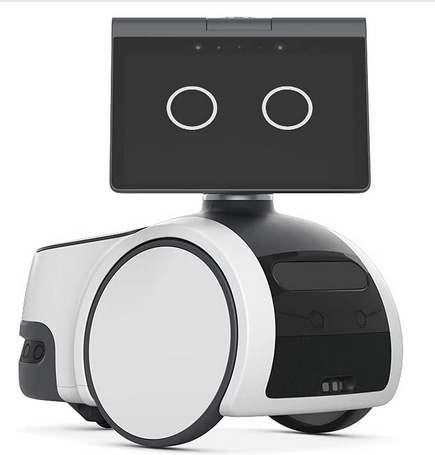
Amazon Astro* is now available by invitation. Click on this link* to see whether you are eligible. Astro* is only available in the 50 US States.

Astro* is a household robot with Alexa capability that will help you around your home. It uses advanced navigation technology to find its way around your home and where you need it to go. When not using Astro* it will find somewhere convenient to hang out for when you do. It will even go to its charger when its battery needs topping up.

You can send Astro* to remotely check on rooms, people and things. It will alert you if it detects an unrecognised person or hears certain sounds like breaking glass or alarms whilst you are away. With the Astro app, you can see a live view of your home and check in on specific rooms, people, or things. On the Astro app simply tap where you want Astro* to go, then raise or lower the periscope for a better look. You can even sound a siren if you see something suspicious.

Amazon Astro

With your Astro purchase you will get a 6 month free trial subscription to Ring Protect Pro* and you can save Astro’s patrol videos for up to 60 days. Subscribing will allow Astro to conduct autonomous patrols whilst you are away from home. Add on Alexa Guard Plus* and Astro* will bark when motion is detected outside the house and sound a siren when someone is detected inside the house.

Coming soon you will be able to subscribe to an Alexa Together* subscription. This will allow you to remotely care for aging loved ones, giving you peace of mind while helping them live independently. Set up reminders, manage shopping lists, receive activity alerts, and more.

Having Astro* around is like having a mobile Alexa. Astro* can follow your around providing you with entertainment, deliver messages and much more.

In terms of privacy settings, you can turn off the mics, cameras and motion with one press of a button and even set out of bounds zones to let Astro know where it is and is not allowed to go.

You can customize Astro* with a range of compatible products. From a detachable cup holder to OMRON blood pressure monitor* to a Furbo Dog Camera* that tosses treats to your pet.

However Astro* has an achilles heal, it cannot go up or down the stairs. Otherwise Astro is great to have around especially if you live on your own for most or all of the time.

Any links with an * by them are affiliated, which means get a product via this link and a contribution may be made to us.
Bose QuietComfort 35 II Wireless Bluetooth Headphones

“As an Amazon Associate I earn from qualifying purchases. this applies to all links on this post.”

There are an increasing number of devices coming onto the market that are Alexa*enabled. TVs, coffee makers and headphones. Having owned a pair of Bose noise cancelling headphones for many years now, I though it was about time to start looking around at a replacement. I have always been impressed with the noise cancelling capability and so the ability to set two levels of noise cancellation to match the environment I am in is very attractive.

These Bose Quiet Comfort 35 Headphones* can access Alexa* by pressing an action button allowing you voice access to music, information and more. The ability to access my Amazon music* collection so easily is a real bonus.

The headphones can give you up to 20 hours of listening, that could be around 400 pop songs! When it does run out of charge then a 15 minute charge will give another 2.5 hours. The headphones* do come with a cable so that if for some reason you have no power you can keep listening.

Bose QuietComfort 35 II Wireless Bluetooth Headphones - Copyright Amazon.
Bose QuietComfort 35 II Wireless Bluetooth Headphones – Copyright Amazon.

A nice little touch is that you can connect two wireless Bose headphones, two of you can listen to the same thing at the same time.

The Bose Connect app gives you easy access to everything your product has to offer. Get tips and personalize your settings, so you can spend more time enjoying the music instead of setting it up.

Any links with an * by them are affiliated, which means get a product via this link and a contribution may be made to us.
Google Nest Wifi

“As an Amazon Associate I earn from qualifying purchases. this applies to all links on this post.”

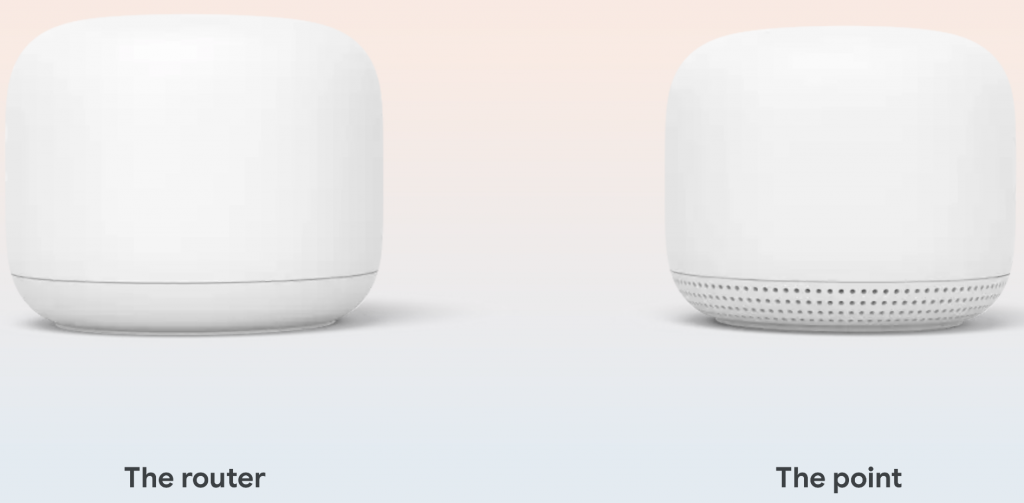
The traditional router has limited coverage, it becomes more patchy the further away from the source of the signal. Extenders can idea the range but will signal will degrade. This is where Google Nest Wifi comes into its own. Nest Wifi gives both whole-home coverage and a consistently strong signal. What is more the system is scalable so that you can add addition units to your home. Each Nest Wifi point is also a smart speaker with the Google Assistant. Google state that One Nest Wifi router* with one Wifi point is strong enough to handle up to 200 connected devices and fast enough to stream multiple 4K videos at a time.

Google Nest Router and Point - Copyright Google
Google Nest Router and Point – Copyright Google

The essential part of each set-up is a router that is connected to your modem. This point will serve an area of up to 2200 sq feet. You can then add points around your home, two points added to your system will cover 6600 sq feet. The Nest Wifi point* has a speaker with the Google Assistant, so you can play music, manage your Wi‑Fi network, find answers, control your connected devices and more using your voice.

Any links with an * by them are affiliated, which means get a product via this link and a contribution may be made to us.

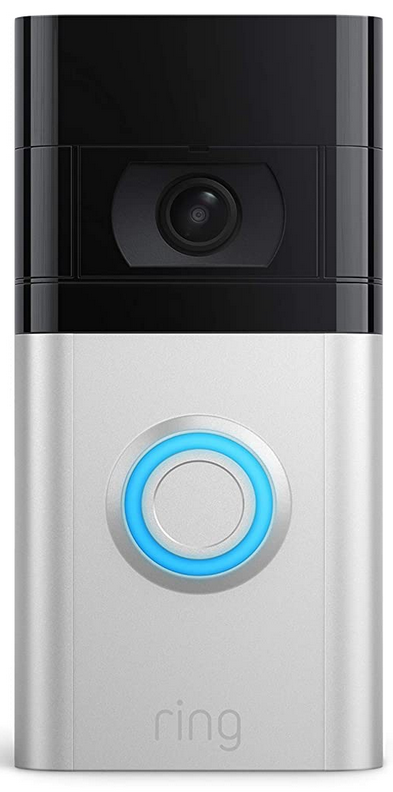
Ring Doorbell 4

“As an Amazon Associate I earn from qualifying purchases. this applies to all links on this post.”

The Ring Doorbell 4* is an update on the Ring Doorbell 3* that was released in 2020. There are 2 key new and additional features on the 4. Quick Replies and All-new Color Pre-Roll Video Previews.

Ring Doorbell 4 - Copyright Amazon
Ring Doorbell 4

Pre-roll is a feature that stores the four seconds of footage before motion is detected. This should help you identify the cause of the activity alert. This was not available on the standard Ring Doorbell 3 but was available on the Ring Doorbell 3 Plus albeit only in black and white. It should be noted that this feature is only available if you have a Ring Protect subscription. This will allow you to go back 30 days to review your recordings.

“Quick Replies” is a feature that will respond someone is at the door. The smart thing about this feature is that you can delay your respond, so you can check who it is before choosing whether to answer yourself. A range of pre-recorded messages can be set. You can even ask callers to record a message but you will have to have a Ring subscription to hear what they have to say. This feature is standard on the Ring Doorbell 4 and is available as an upgrade on a number of previous Ring devices.

Otherwise the Ring Doorbell 4 is pretty much the same at the Doorbell 3, though you can connect the 4 to the mains. This will not serves as a mains feed, but will trickle charge your battery so that you will have to manually charge it less often. You might like to consider purchasing buying a Ring Chime Pro* with your Ring Doorbell, as you will only receive notifications on your phone or Alexa device, and if you do not have it to hand you will not know anyone is at the door.

Any links with an * by them are affiliated, which means get a product via this link and a contribution may be made to us.
Ask Alexa 12

“As an Amazon Associate I earn from qualifying purchases. this applies to all links on this post.”

One of the beauties of Alexa is that you can ask her anything. She may not always have the answer, but you can always ask her the question. I have been using youtube videos to improve my repotoire of meals. However I was getting stuck on what to type in the search box and sometimes when I did I would be overwhelmed with suggestions that I didn’t know where to start, so I decided to ask Alexa.

You can try this for yourself, here are a few to try “Alexa, give me a pasta recipe”, “Alexa, give me a chicken recipe” and “Alexa, give me an easy dinner recipe”. This command will give you a recipe suggestion. These now give me good starting point for searching on youtube and from time to time I will use Alexa’s suggestions if I have the ingredients. The end result is that I am eating a wider variety of home cooked dishes.

Ask Alexa for a Vegetable Recipe.

I haven’t been able to quite work it out, but my Uncle is either going deaf or he just pay attention when I talk to him. He is constantly asking me to repeat what I have said more slowly. The problem is at the moment there isn’t a command to get Alexa to repeat herself (yet I can on my Sat Nav). The most straightforward way is to repeat the question. However as I discovered when listening to audio books, I can change the speed at which the book is played. I subsequently discovered that you can ask Alexa to speak more slowly.

Just try the command “Alexa, speak slower”. In fact Alexa has “7” speaking rates, the default, 4 faster ones and two slower ones. You can obtain them by using the following three phrases: “Alexa, speak slower”, “Alexa, speak faster” and “Alexa, speak at your default rate”.

Any links with an * by them are affiliated, which means get a product via this link and a contribution may be made to us.
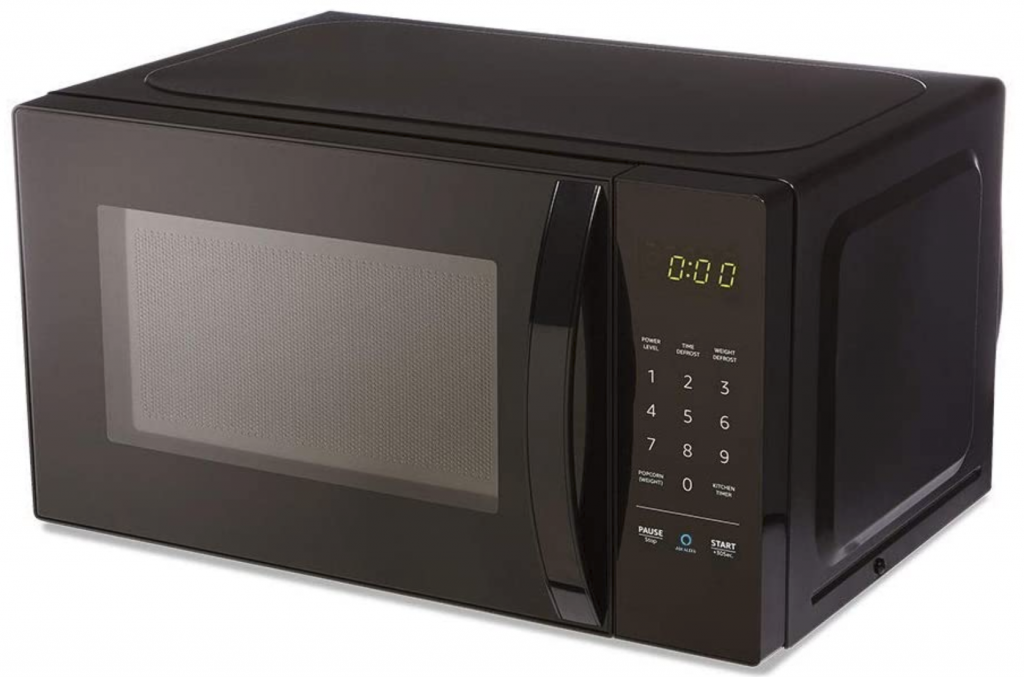
AmazonBasics Microwave

“As an Amazon Associate I earn from qualifying purchases. this applies to all links on this post.”

Let me start off by saying that this item requires an Echo* device to function as a Smart Microwave. Once connected you can ask Alexa* via your Echo* device to defrost your vegetables, make popcorn, cook potatoes and reheat meals, via voice control features and quick-cook voice presets.

AmazonBasics Microwave Copyright Amazon
AmazonBasics Microwave Copyright Amazon*

Just say, “Alexa, reheat one cup of coffee,” and Alexa* will start reheating with the appropriate power and time settings. Quick-cook presets mean there’s no need to guess cook times or heat levels when you’re defrosting vegetables or microwaving a potato. According to Amazon, Alexa* is always getting smarter and additing new presets to enhance your microwaving experience.

The microwave itself is a compact size and takes up just over 17 inches of your counter space. The turntable is 10 inches diameter and will take a maximum popcorn bag size of 3 oz. In fact sign up to automatically reorder popcorn and save 10% on popcorn orders. Choose from select popcorn brands in the Alexa app. When you make popcorn using your voice or the Popcorn button, AmazonBasics Microwave* will reorder when you run low.

You can of course use the AmazonBasics Microwave* manually, it has 10 power levels, a kitchen timer, a child lock, and a turntable so you can cook all kinds of food as you would do in a regular microwave oven. This product has relatively good reviews across the board by users on Amazon. The main criticism is the size. As long as you remember that you are buying a compact microwave you shouldn’t be disappointed by its size and that the title AmazonBasics* should not disappoint you in terms of features.

Incidently you might be interested to know that a braille keypad overlay is available for the oven at less than a dollar at the time of writing. A great help for those who have visually impaired members of their household.

Any links with an * by them are affiliated, which means get a product via this link and a contribution may be made to us.
Blink Mini Camera

“As an Amazon Associate I earn from qualifying purchases. this applies to all links on this post.”

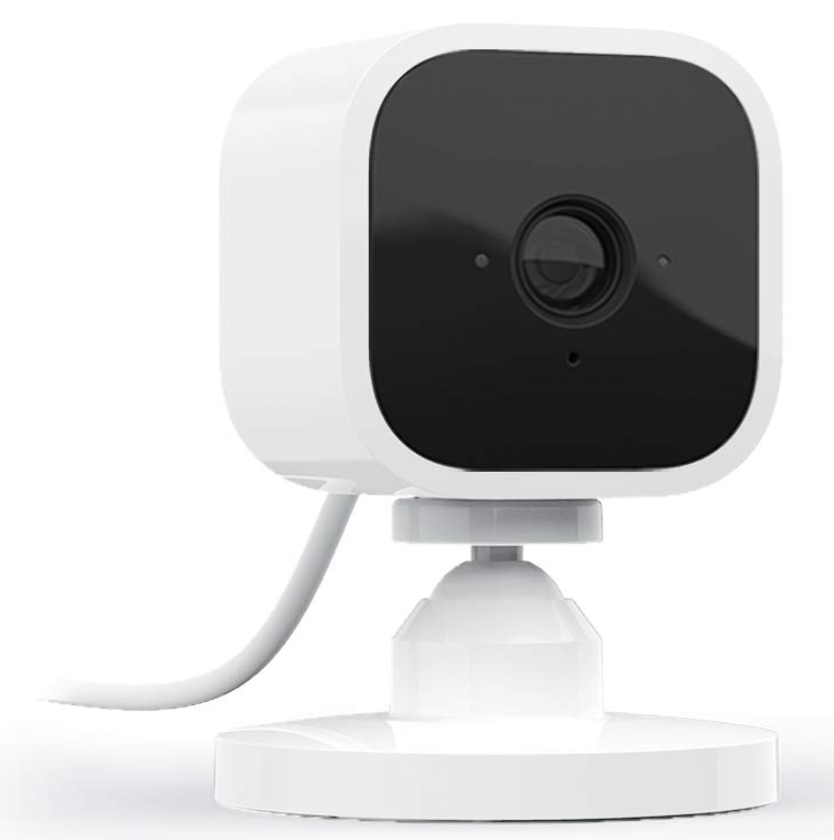
We briefly mentioned the Blink Mini Camera* on our piece about Black Friday deals at Amazon. The Blink Mini Camera is a1080P HD indoor, plug-in security camera with motion detection and two way audio that lets you monitor the inside of your home day and night. You will recieve alerts on your smartphone whenever motion is detected or if you have a number of cameras you can customize motion detection zones so you can see what matters most.

See, hear, and speak to people and pets in your home on your smartphone with Blink Mini’s live view and two-way audio features (live view is not continuous).

Store events conveniently and securely in the cloud with a 30-day free trial of the Blink Subscription Plan or locally with the Sync Module 2 and a USB flash drive (USB sold separately).

Blink Mini Camera*

The Blink Mini Camera is easy to set up, it takes just a few minutes. Plug it in, connect to the wi-fi and add it to your Blink app.Sets up in minutes – just plug in the camera, connect it to wifi, and add it to your Blink app.

For additional ease of use, pair Blink Mini with a supported Alexa-enabled device to engage live view, and arm and disarm your camera, and more using just your voice.

Any links with an * by them are affiliated, which means get a product via this link and a contribution may be made to us.

Fire 7 Kids Pro

“As an Amazon Associate I earn from qualifying purchases. this applies to all links on this post.”

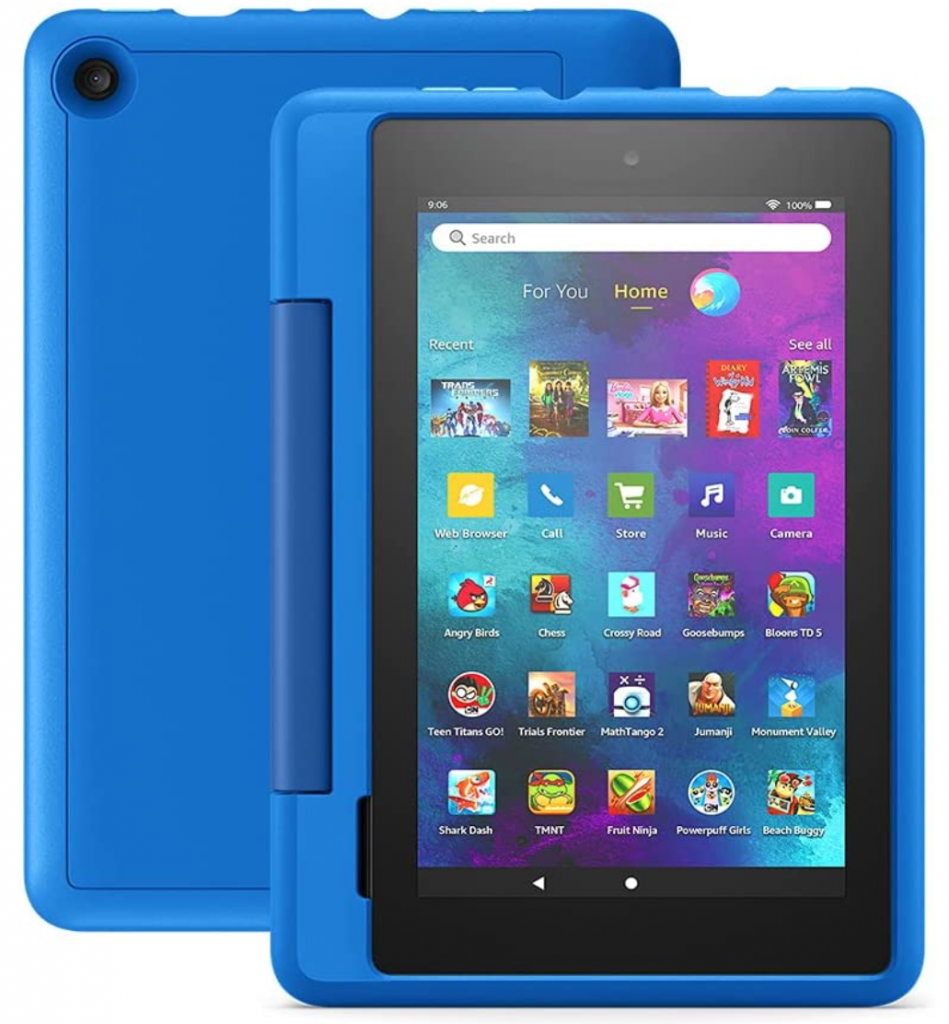
Looking for a tabket designed specifically for kids ages 6+ that includes 1 year of Amazon Kids+, parental controls, a slim case, and a 2-year worry-free guarantee, versus items purchased separately at a bargain basement price that Amazon have put together, then click here*.

Fire 7 Pro Tablet - Copyright Amazon.
Fire 7 Pro Tablet

School-age kids will enjoy a 1-year subscription to Amazon Kids+ that unlocks over 20,000 apps, games, books, videos, songs, and Audible books. They’ll find educational content from National Geographic, Rabbids Coding, LEGO, and others, plus more than 9,000 titles for kids ages 6 and up. After 1 year, your subscription will automatically renew every month starting at just $2.99 per month plus applicable tax. unless cancelled.

In addition to Kids+ content, Kids Pro* tablets include access to a digital store. Kids can request apps, but as a prent you have to purchases and downloads.

The web browser comes with built-in controls designed to help filter out inappropriate sites and let parents add or block specific websites at any time.

The Fire 7 Pro comes with a 2-year guarantee. If it breaks, return it and Amazon will replace it for free. Looking for a larger screen and HD display then click try out the Fire HD 8 Kids Pro tablet*.

Any links with an * by them are affiliated, which means get a product via this link and a contribution may be made to us.

Google Nest Learning Thermostat 3rd Generation

“As an Amazon Associate I earn from qualifying purchases. this applies to all links on this post.”

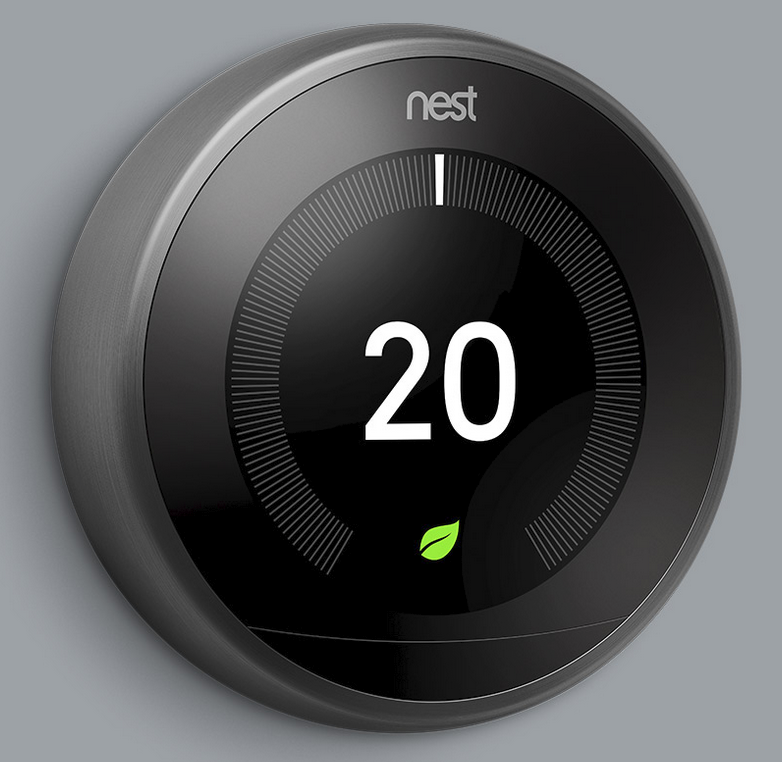
Most of the devices we look at here on 800pods.com are ones that you can set up yourself. The Google Nest Learning Thermostat* is one of those exceptions. Google suggest that it should be installed by a professional. However if you are competent then you should be able to install it, in under half an hour. It is now 10 years since Google released their first thermostat and there have been improvments in the performance of these pieces of kit.

Copyright Google. Google Nest Learning Thermostat.
Google Nest Learning Thermostat.

The device itself looks great and is available in chrome, copper, white or black. Not quite a color for everyone, but certainly one for each season of the year.

You can check whether the Nest Learning Thermostat is compatible with your existing unit by clicking here.

The Nest Learning Thermostat automatically adapts as your life changes. Just use it for a week and it programs itself. If you turn your heating up or down on a certain day and at a certain time, then you the Learning Thermostat will learn and remember your preferences. Using sensors and your phone’s location is will determine when your home is empty and turn down the heating to save you money.

You can now control your hot water tank with the Nest Learning Thermostat. It comes with a hot water schedule but you can adjust this from the Nest app. Also you can get switch on to add extra hot water anytime you want to. When you’re away from home for a few days, you don’t have to remember to turn off the hot water. The Nest Learning Thermostat will do it for you.

You can see how much energy you are using and when so that you can take steps to adjust your energy usage and save yourself money. So although the Google Nest Learning Thermostat is not cheap to install it will save you money in the long run.

For those of you that like all things Alexa, this unit is Alexa compatible,

Any links with an * by them are affiliated, which means get a product via this link and a contribution may be made to us.